How to Get the Old Context Menus Back in Windows 11
2 min read How to Get the Old Context Menus Back in Windows 11 - Like Windows 10 April 22, 2024 15:02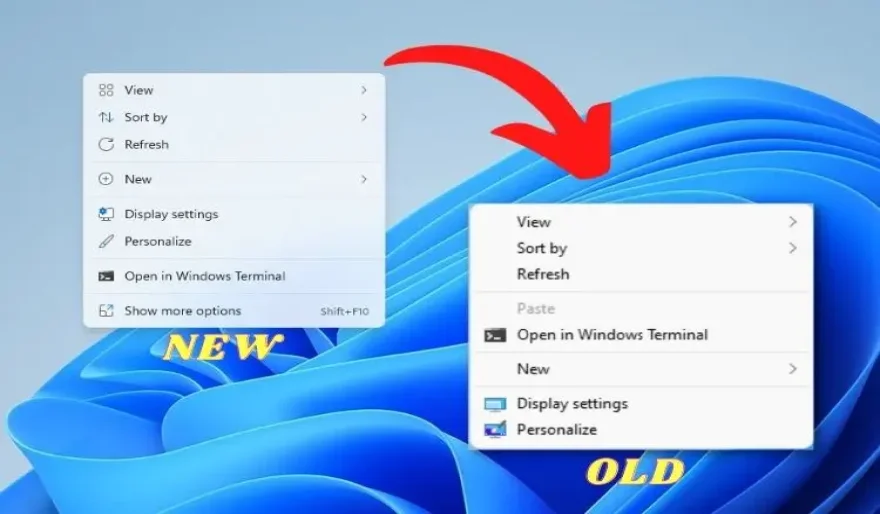
You can access the old context menu in Windows 11 by right-clicking something, then selecting "Show More Options" or by holding Shift while you right click. Otherwise, you'll need to tweak the Registry to make the old context menu the default option.
Windows 11 ships with a simplified right-click context menu for File Explorer (and the desktop) that is different from the Windows 10 context menu. If you'd like to use the classic Windows 10 right-click menu instead, you can do so by modifying your registry with a few clicks. Here's how.
Our One-Click Registry Hack
If you want to use the classic Windows 10-style right-click context menu without having to edit your registry manually, you can download a registry modification file we have prepared.
Download Now
After you download the file, unzip it to any location, and you'll have two files:
"win11_classic_context_menu.reg" = Activate Old Context Menu
"undo_win11_classic_context_menu.reg" = Deactivate Old Context Menu
Game of the Day

Popular This Month